LED Control Systems: Trends for Distributed Content Management
Distributed led display networks are moving away from single centralized controllers. Content management now favors modular nodes, local processing, and networked orchestration. Buyers should plan for edge-based rendering, redundant data paths, and simplified remote monitoring to support modern large-format installations.
- Content processing is moving from one central server to multiple edge nodes.
- Network reliability and local fallback behavior matter more than raw controller speed.
- Standardized APIs and open file formats reduce vendor lock-in across installations.
- Remote diagnostics should include local node health, not just playback status.
- Installers must plan cabling and power for modular racks, not single chassis units.
Centralized control is giving way to a more distributed model. The led control system is no longer just a single box sitting behind a screen. It is becoming a network of processors, storage nodes, and playback endpoints that share a common content pipeline. For importers and engineers, this shift changes what to buy, how to wire a site, and how to support a display after it leaves the factory.
Why distributed control is becoming the default
Large format screens used to rely on one master controller. That controller received video from a media player, split the signal, and sent it to each pixel board. The setup was simple to commission, but it had a hard failure point. If the master unit lost power or its network card failed, the entire wall went dark.
Distributed led display architectures spread that work across multiple nodes. Each node handles a section of the screen and can pull content from a local cache or a shared network. The main controller acts more like a conductor than a bottleneck. It sets timing, assigns content, and monitors status. The edge nodes handle the heavy lifting of rendering and output.
This structure fits better with modern buildings and venues. It allows content to be updated by section. It allows a display to keep running while one node is replaced. It also aligns with how IT teams already manage servers and storage. If a site has a reliable local area network, the display can behave like other networked assets.
How content management is changing
Content delivery is moving from a single file push to a layered model. The source files live in a central repository. They are processed into smaller chunks that can be served to specific zones. A distributed led display can receive a master timeline and split it into node-level packets.
This changes the role of the playback software. Instead of one player rendering a full 4K or 8K stream for every pixel, multiple players can render a fraction of the frame. Each player outputs only what its section needs. The network then carries the finished video to the corresponding controller.
Buyers should watch how the content pipeline handles versioning. In a distributed setup, a new promo video might be pushed to one zone while another zone keeps the old version. The control system must track which node is running which file. If the system cannot do that, the display may show inconsistent content across sections during a live event.
The practical takeaway is to treat content management as a database problem. Files need metadata, version numbers, and assignment rules. The controller should store that metadata locally so it can verify what is running before it starts playback.
What to plan for in the control room
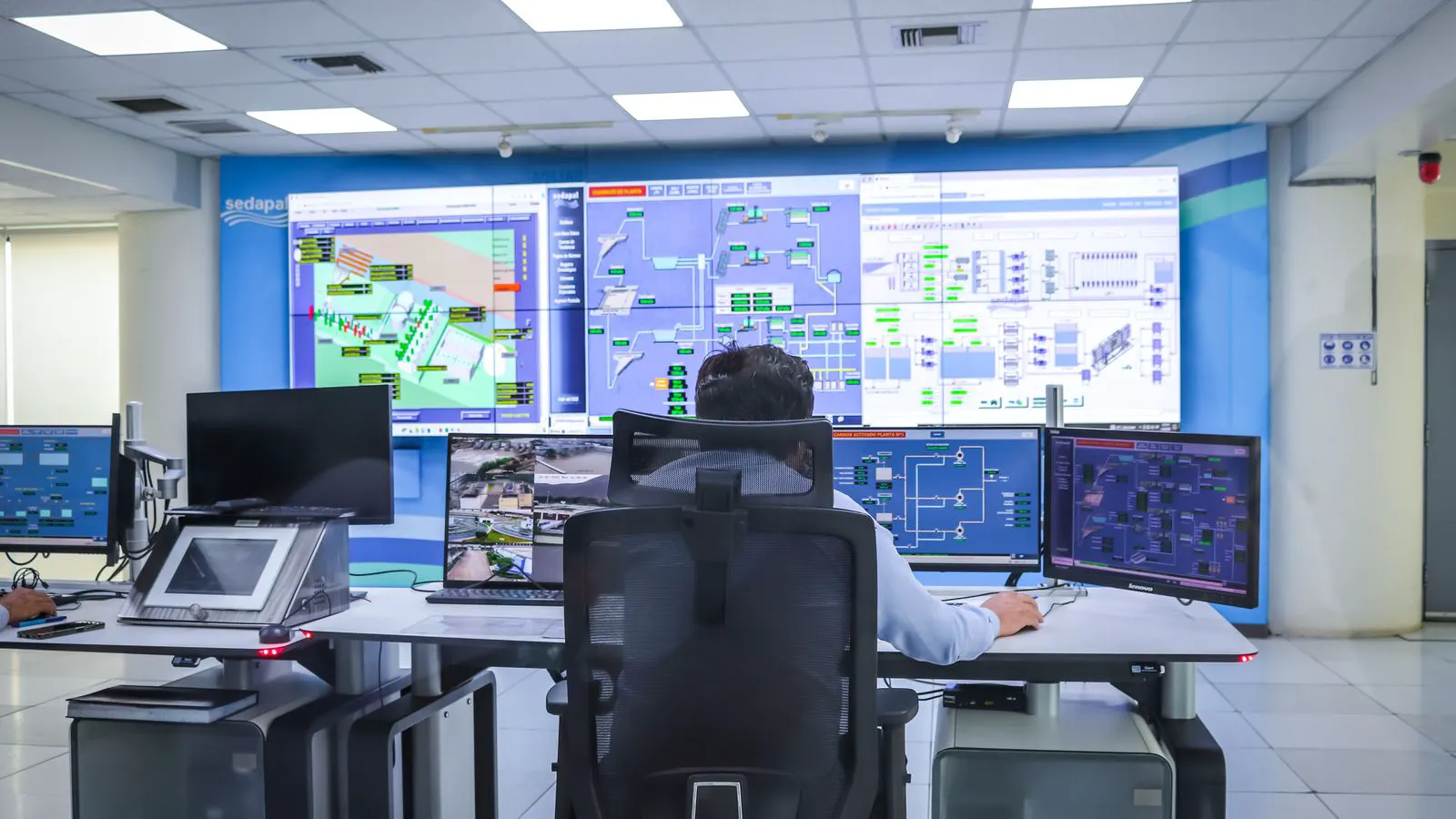
The control room is changing shape. A single rack unit is no longer enough for a large installation. You will likely need a network switch, a storage array, and several control nodes. The physical layout matters as much as the software.
Power is the first thing to check. Each node consumes power, and the storage and network gear add to that load. A single power supply may not be enough. Redundant power feeds or a small uninterruptible power supply for the control network helps keep the display alive during a brief building power dip.
Cabling is the second thing. Distributed systems rely on data links between nodes. Ethernet runs are common, but fiber is used for longer distances or higher bandwidth. The installer must measure distances and pick the right cable type. A twisted pair run that is too long will drop frames. A fiber run that is not properly terminated will show as a dead node.
The third thing is physical access. In a distributed setup, each node may sit in a different location. Some may be near the screen. Others may be in a central cabinet. The team needs clear access routes to each node for maintenance. If a node is locked inside a tight ceiling cavity, a hardware failure becomes a major repair job.
A practical comparison of control approaches
The table below shows how centralized and distributed approaches differ in common scenarios. This is not a ranking. It is a map of trade-offs so buyers can match the system to the site.
| Factor | Centralized Control | Distributed Control |
|---|---|---|
| Failure impact | One node failure can blank the whole screen | One node failure affects only that section |
| Cabling | Long cable runs from one source to all boards | Shorter runs from local nodes to nearby boards |
| Network dependency | Low for playback, high for updates | High for both playback and updates |
| Maintenance | One point of service | Multiple points to check |
| Scalability | Hard to expand without re-wiring | Easy to add nodes as the screen grows |
The centralized model is still useful for small installations. If the screen is under 100 square meters and sits in one room, a single controller is often enough. The distributed model becomes more attractive as the screen size increases or the building layout gets more complex.
How to prepare your installation for distributed content
Preparation starts before the hardware arrives. The first step is to map the display zones. Draw a diagram of the screen and mark where each node will sit. Assign each node a zone ID. This ID must match the content assignment in the software. If the diagram and the software do not match, the display will show the wrong content in the wrong place.
The second step is to test the network path. Do not wait until the screen is hung. Run a test from the central server to each node location. Measure latency and packet loss. A distributed system needs a clean data path. If the network is shared with other building systems, it may be worth using a dedicated switch just for the display.
The third step is to define a local fallback mode. If the central server goes offline, what should the display do? The best systems allow each node to continue playing a cached video. The fallback content should be short and looping. A 30 second logo loop is better than a blank screen. The control system should allow the installer to set this fallback behavior for each zone.
The fourth step is to document the content pipeline. Keep a record of where files are stored, who has write access, and how updates are pushed. In a distributed setup, a single wrong file assignment can cause a visible mismatch. Clear documentation prevents that. It also helps when a new engineer takes over the site.
What to watch for in software and APIs
The software side of the led control system is where distributed setups live or die. The control interface should show the health of each node, not just the status of the whole screen. If node 4 is running hot, the software should flag it. If node 9 is out of sync, the software should show the drift.
Open APIs are becoming more common. They allow the display control system to talk to other building systems. A venue management platform can send a video file to the display. An audio system can sync a visual effect to a sound cue. The API should be well documented and stable. If the API changes with every software update, integrators will stop using it.
Look for support for standard file formats. A distributed system should be able to ingest common video types without a proprietary converter. If every new file requires a specific codec or wrapper, the content team will spend more time preparing files than creating them.
Vendor lock-in is a real risk. If the control software only works with one brand of media player, the buyer loses flexibility. The best systems allow multiple playback sources. They also allow the content to be stored in a format that can be moved to another platform.
Common mistakes to avoid
The most common mistake is underestimating network capacity. A large distributed display sends a lot of data. If the switch cannot handle the bandwidth, frames will drop. The screen will show tearing or black bars. The fix is not to upgrade the display. The fix is to upgrade the network gear.
The second mistake is ignoring power sequencing. If the storage array powers on before the control nodes, the nodes may try to read files that are not ready. This causes boot errors. The power plan must ensure the network and storage are fully up before the display nodes start.
The third mistake is skipping the local cache. Some installers try to stream everything from the central server to save space on the nodes. This works until the network hiccup. A local cache of a few minutes of content is cheap insurance. It keeps the screen alive during a brief network fault.
These mistakes are not about bad hardware. They are about planning. The distributed model is more flexible, but it demands more careful setup. The teams that get it right build displays that are easier to maintain and less likely to fail during a public event.
Final thoughts for buyers
The led control system is no longer a single product. It is a network of parts that must work together. The shift to distributed content management offers real benefits. It reduces failure impact. It simplifies scaling. It makes the display easier to integrate with other building systems.
Buyers should plan for the edge. Buy nodes that can handle local processing. Buy storage that is fast enough for the content type. Buy network gear that is rated for the data load. And choose software that gives clear visibility into every node.
The goal is not to buy the most expensive controller. The goal is to build a system that can be updated, repaired, and expanded without tearing the site apart. That is the practical value of a distributed led display. It turns a large screen from a fixed installation into a manageable network asset.
Frequently asked questions
Does a distributed led display need a faster network?
Yes. Distributed systems send video data to multiple nodes over a network. The network must have enough bandwidth and low latency to keep all sections in sync.
Can I use a centralized controller for a small screen and a distributed one for a large screen?
Yes. Small screens often work well with a single controller. Large or complex installations benefit from distributed nodes because they reduce single points of failure.
What happens if one node in a distributed system fails?
The affected section of the screen may go dark or show a fallback image. The rest of the display should continue to operate if the network and content pipeline are healthy.
Is local storage required on each node?
It is strongly recommended. A local cache allows the node to keep playing content if the central server becomes temporarily unavailable.
How do I know if my current software supports distributed content?
Check if the software can assign different content to different nodes independently. It should also show the status of each node separately, not just the overall screen.